blog
Starting My Own Blog: A Practical Approach to Personal Content
I’m launching this blog for a simple purpose: to share letters and photos with family and friends and document my upcoming trips.
A Practical Solution for a Communication Problem
I faced challenges when including photos in emails that I would create in the application “drafts” on my Mac or iPhone. It was a tedious process. Writing the content in Obsidian and then trying to add images wasn’t any better.
I documented my 2021 road trip on WordPress. It worked well enough, but I couldn’t control or back up my content. WordPress owned it. I wanted to find an alternative where I had full control. Not to mention that I needed to be online in order to write the posts, and that was sometimes just not available to me.
Discovering New Tools: Obsidian, GitHub, and Jekyll
I’ve been a heavy user of obsidian for a couple of years. It has become the app I use for taking meeting notes, my daily journal, planning, etc. and it has really infiltrated my life as the place that I keep my stuff.
It was a game-changer when I found the GitHub Publisher for Obsidian, which eased the process of including images. GitHub Publisher combined with GitHub Pages allowed me to host my content online while keeping full control. This same setup works from my Mac as well as from my iPhone and iPad.
Jekyll templates provide flexible options for website design. They’re easy to use and make content presentation a breeze.
If you wanted to host a blog on GitHub, you could skip the whole obsidian and GitHub publisher step, and just maintain all of you writings as files in GitHub, and all of the workflows that you might use for that would work. So adoption of Obsidian is not required by any stretch of the imagination, to have a blog on hosted on GitHub.
In conclusion, this blog gives me the control to personalize my content and the convenience to manage it efficiently. Here’s to more streamlined communication and documentation!
Using templates
I am using the templater obsidian plugin and the quickadd obsidian plugin to help with the creation of the blog entries.
I have created a quick add action
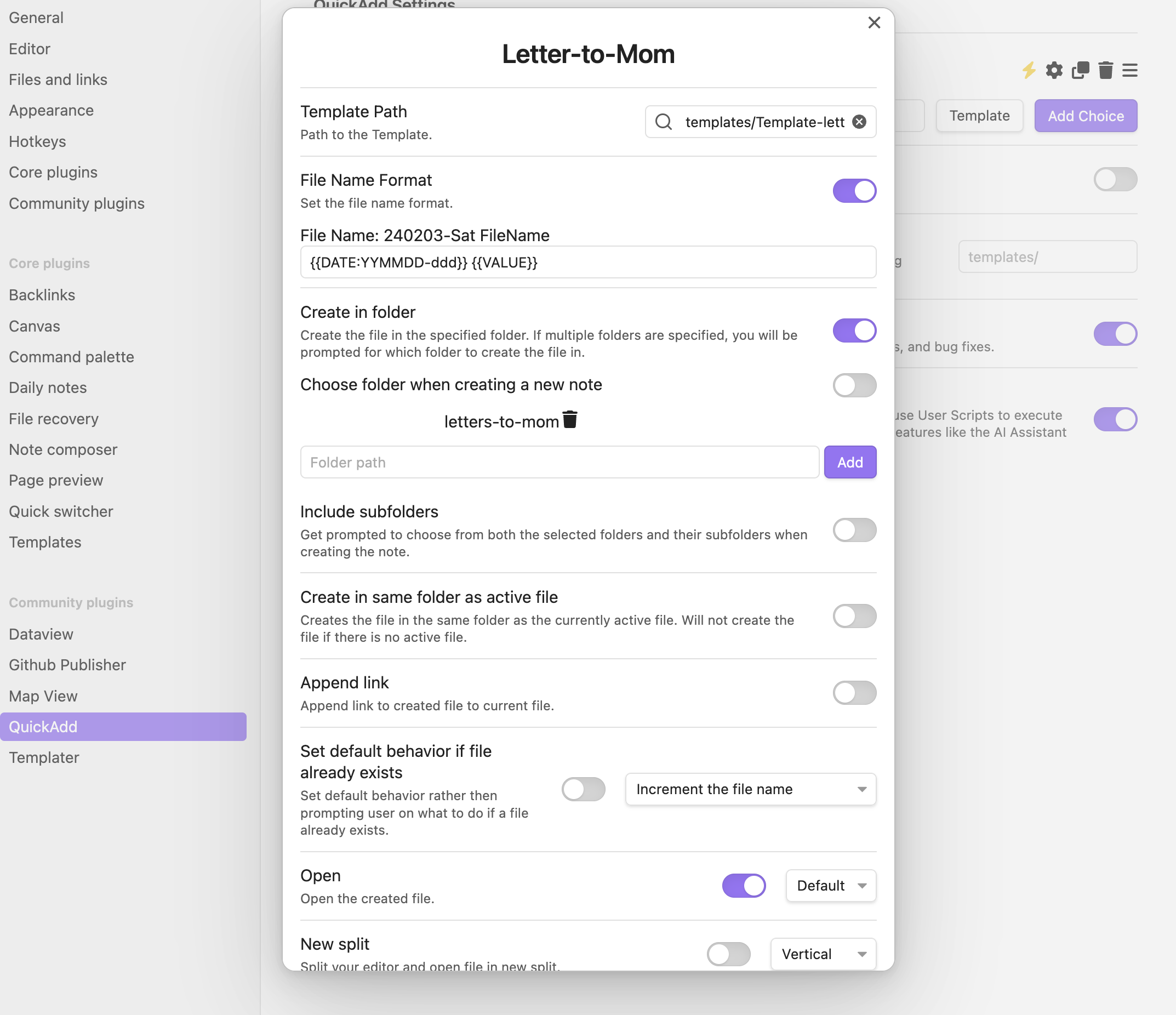
that uses a template to create a new file, in the correct directory, with the front matter that I need.
Because the github.io blog has troubles linking to files that have spaces in the name (and I am not exactly why). I am using a bit of templater trickery to rename the file, and convert the spaces in the file name, to dash’s
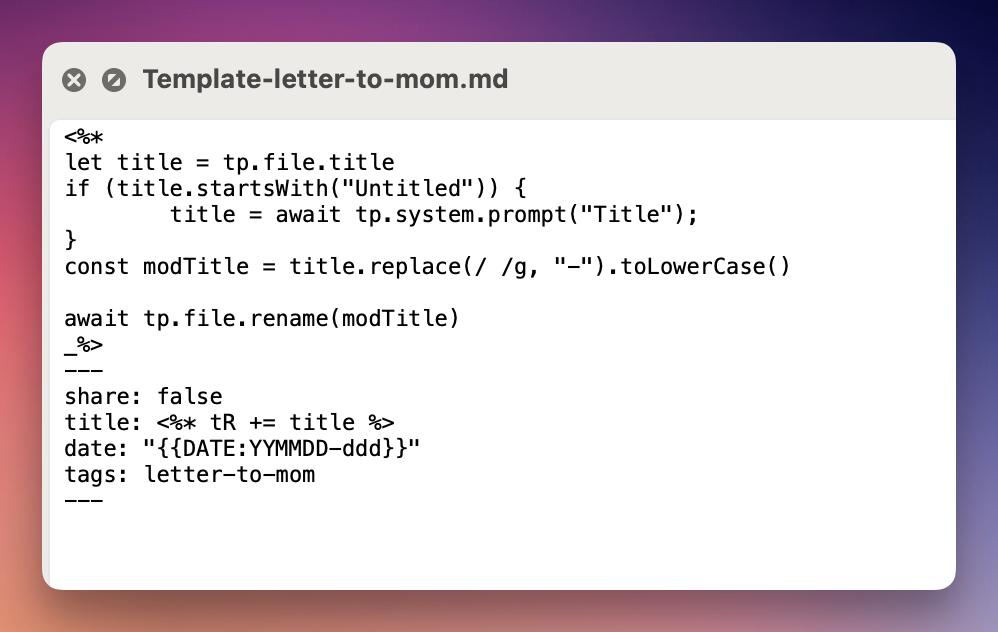 With this trick, the title maintains the spaces, but the name of the file has them swapped.
Creating the index page.
In order to create an index page that has a list of all of the letters that I have publihsed. I am using the dataview obsidian plugin to list the files.
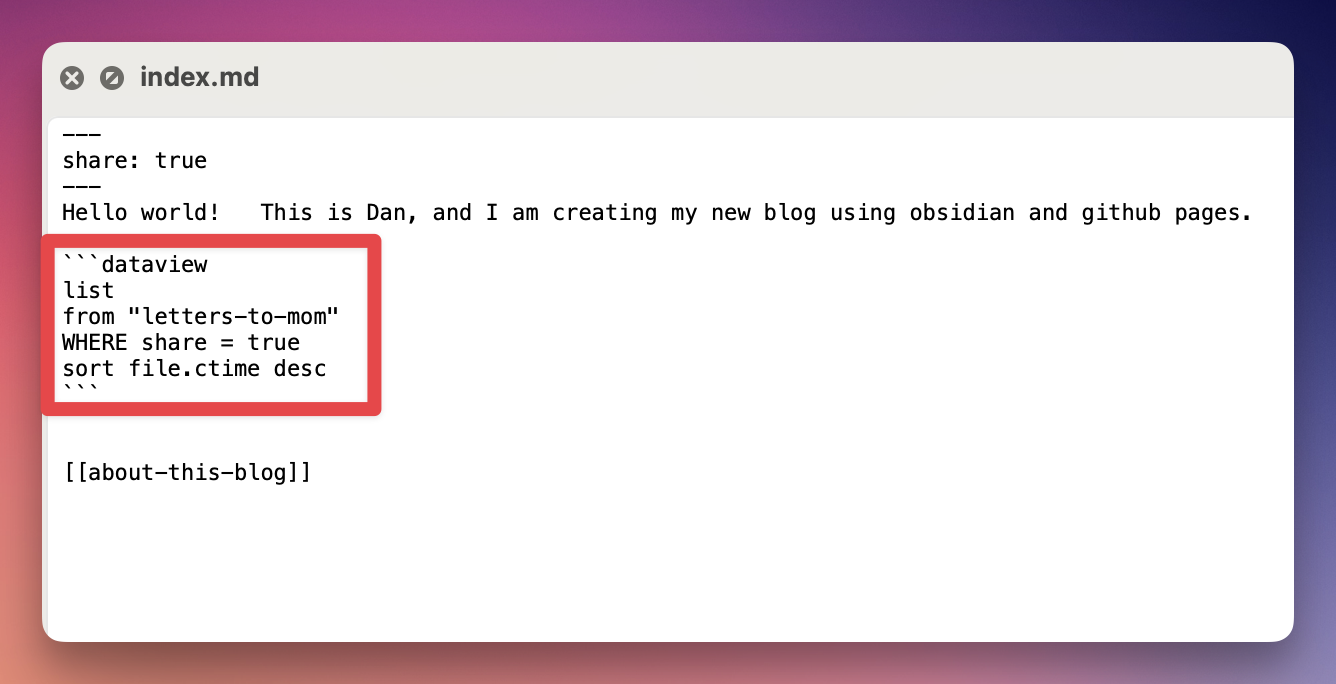
and then to make things work correctly I told the github publisher to convert the dataview results to markdown when it publishes it. 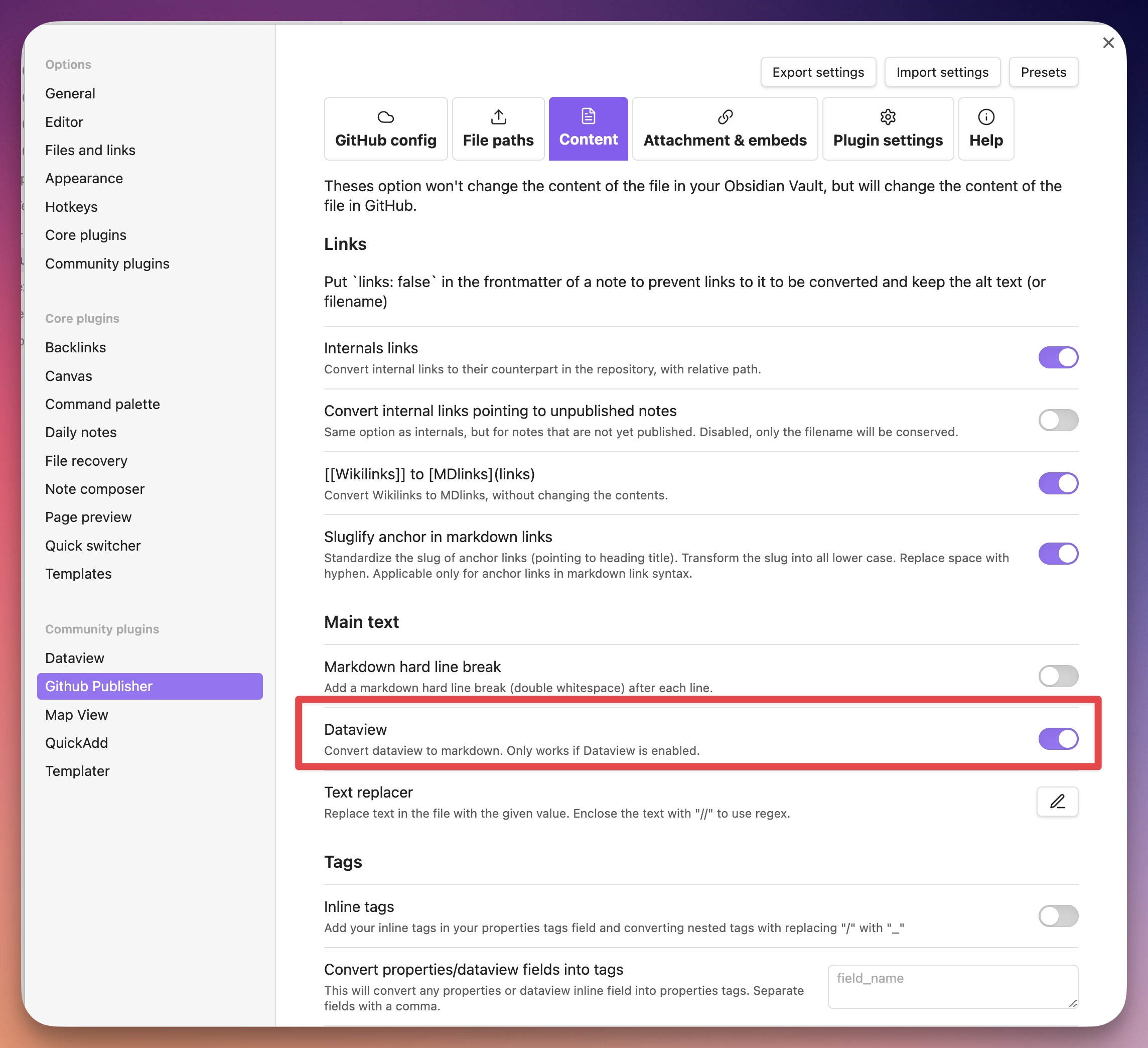
Location Management
As a part of this, i would also like to be able to use the obsidian mapview plugin to be able to show where all of these notes were created, and to be able to see them on the map. To do that I add the location: property to the obsidian front matter and I use Map View GeoHelper in order to get my current location, and insert it into that front matter.
Sharing the tracks of our travels
we use giagps to keep track of our travels. This is an awesome piece of software that runs as an app on our iphone, it’s a website, the whole nine yards. There are a couple of cool things that it does for us.
- It can add all of the photos you take during your trip to the track of the trip.
- You can share your tracks from the website, with all of the details.
- you can embed a map, using iframes, of your track into a markdown file, and have that published.
this is an example of one of the trips Catherine and I took in the summer of 2023.
so there are a couple of problems here.
- nothing is showing up on the published blog after the iframe. that’s gotta get solved
- the iframe is not included when I mail the contents of the page
Test from avp
Gir